
Surfing
Best Surf Tide App: What Surfers Should Check Before Paddling Out
A good surf check should not feel like homework. Start with the tide, see where the water is headed, then decide if the window is worth it.
The best surf tide app should answer one thing fast
If you are checking tides before surfing, you are probably not looking for a science project. You want to know if the tide is helping the spot right now, if it is getting better, or if you should wait.
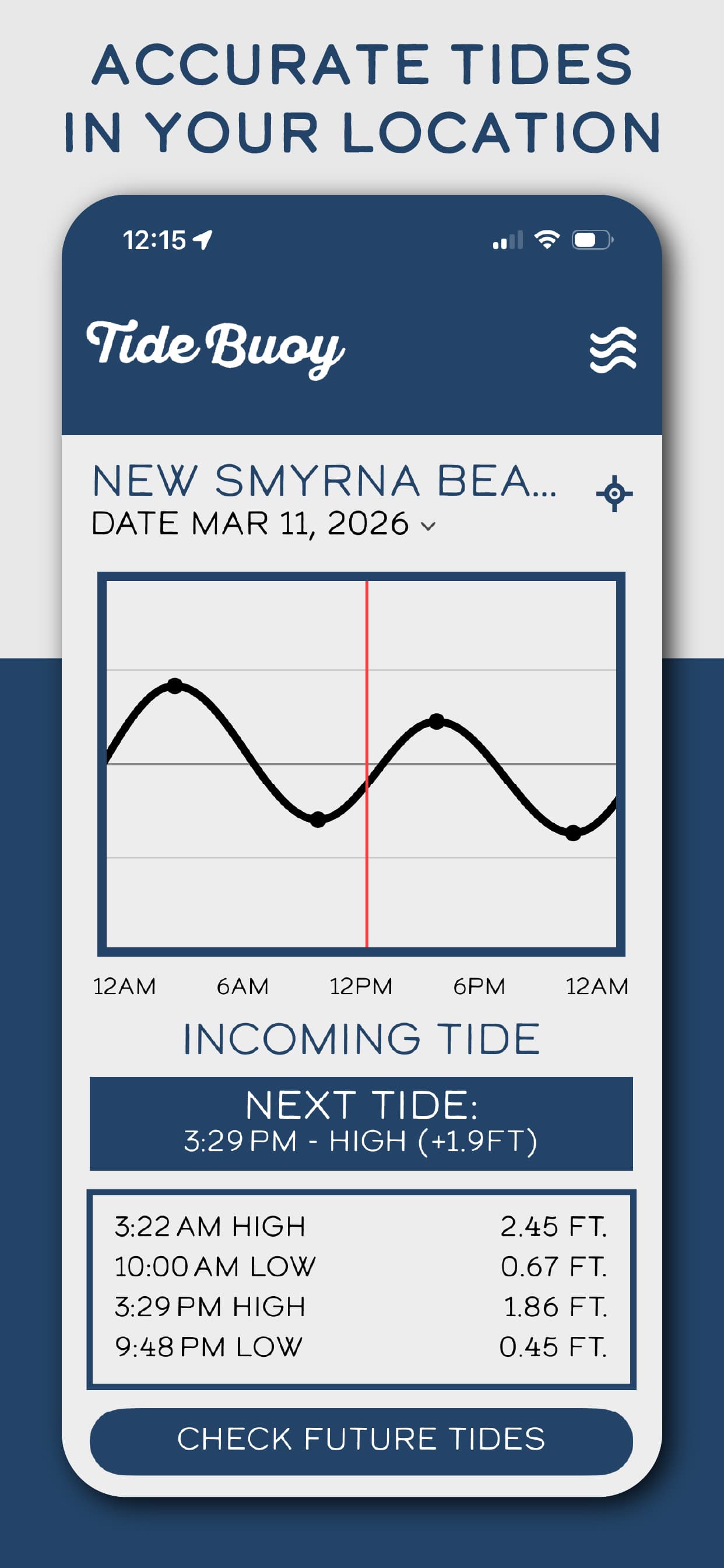
That is the job Tide Buoy is built for. Open the app, see the current tide, see whether it is incoming or outgoing, and check the next high or low tide. That quick read tells you a lot before you even look at the camera or load the board.
For surfers who want a simple tide-first app on iPhone, that is the whole point: less digging, more useful information.

Why tide matters before a session
Tide changes how much water is sitting over the sandbar, reef, point, jetty, or inlet you are surfing. That water level can change the shape, speed, takeoff, paddle-out, and even whether the wave has any room to break.
One beach might like a low-tide bar. Another might need more water. A point can wake up on a push while a nearby beach gets too full. Some spots are fun for an hour, then fade fast.
That is why surfers keep checking tide. Not because tide magically makes waves good, but because it helps explain why the same swell can look fun at one hour and weird the next.

What surfers should check first
A good surf tide app should put the useful stuff up front. Current tide. Incoming or outgoing. Next high. Next low. The shape of the tide curve. The spots you care about.
That is usually enough to make the first call. If the tide is dropping hard and your spot gets sketchy when it drains, you know. If the tide is just starting to push and your sandbar likes that, you know. If high tide is about to swamp the break, you know that too.
Tide Buoy keeps that information easy to read, which matters when you are half awake, standing in the parking lot, or trying to decide if the drive is worth it.
- Current tide at the spot you care about
- Incoming or outgoing tide direction
- Next high tide and next low tide
- A simple tide curve you can read quickly
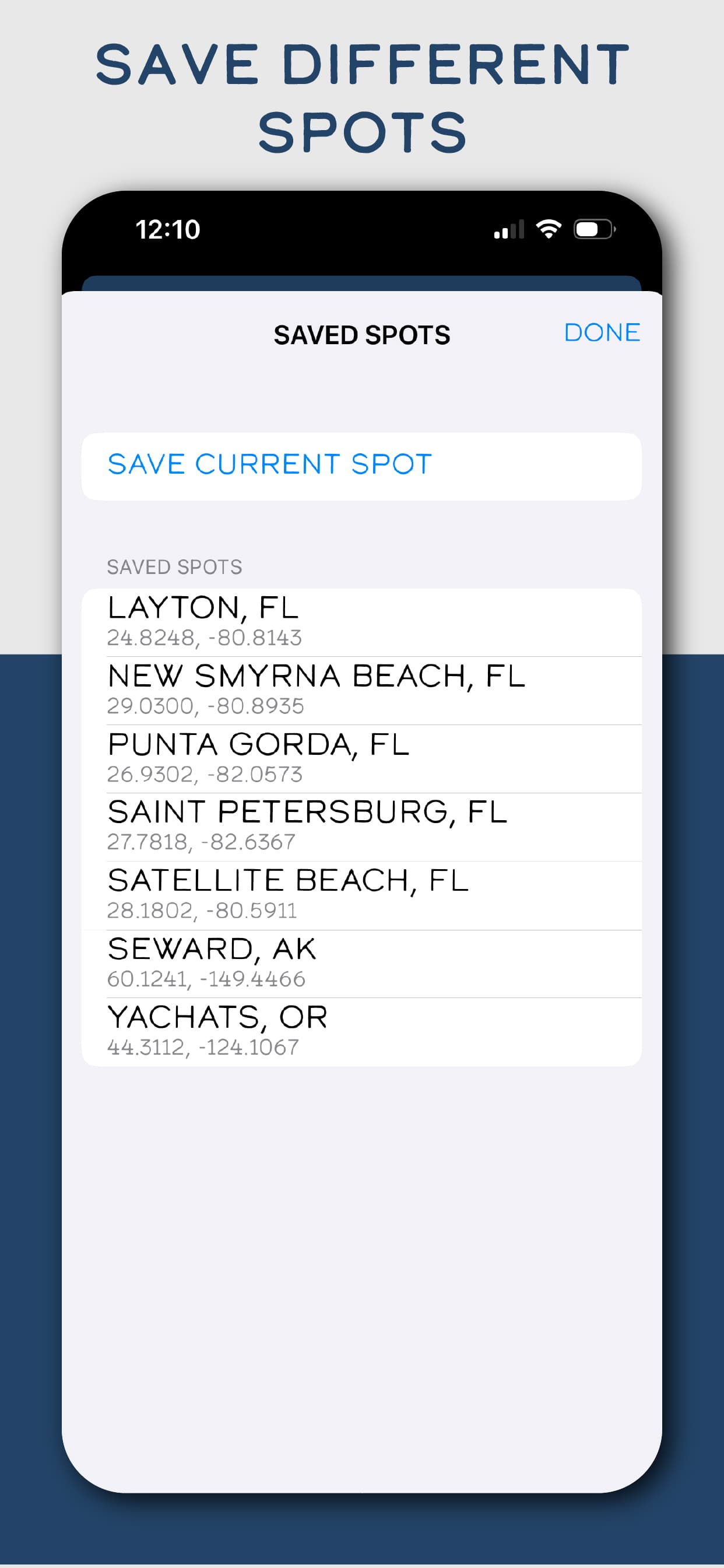
- Saved surf spots for repeat checks
Incoming tide vs outgoing tide for surfing
Incoming tide is not always better. Outgoing tide is not always worse. The right tide depends on the break.
An incoming tide can help when a spot needs more water. It can fill in a shallow section, smooth out a weird inside bar, or add just enough push to make the wave feel alive.
An outgoing tide can help when a spot works better with less water. It can make a soft wave stand up, expose a better bar, or give a section more shape. It can also make some places too shallow, too fast, or too heavy.
The useful habit is simple: learn what your spot likes, then check the tide direction before you go. Tide Buoy makes that part quick.
Buoy data helps, but tide still comes first
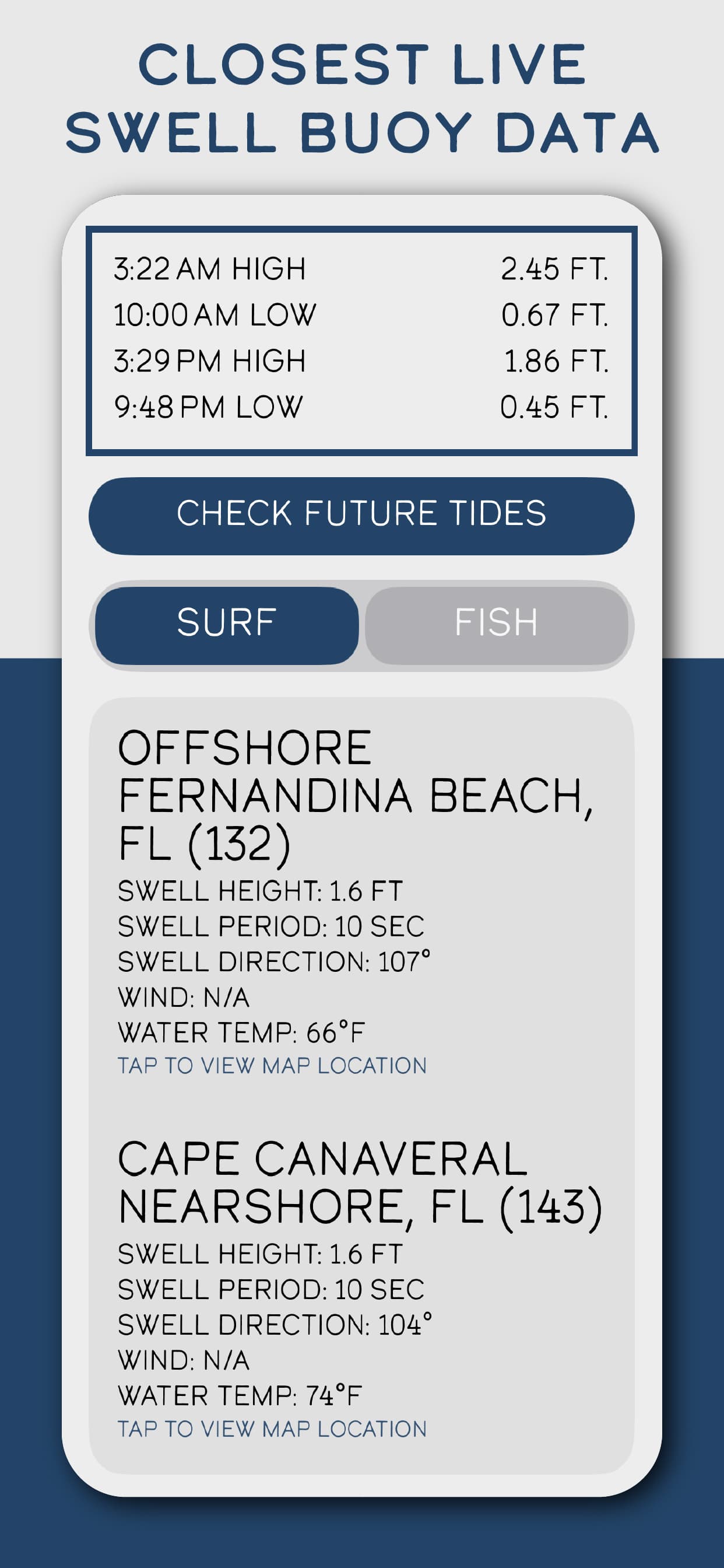
Swell height, swell period, swell direction, wind, and water temperature all matter. A buoy can tell you if there is real energy in the water or just short-period wind chop.
But buoy data does not replace the tide. A buoy can say there is swell. The tide helps tell you whether your break has enough water, too much water, or the right window to use it.
That is why Tide Buoy keeps the app tide-first while still making nearby buoy context easy to reach. You get the simple answer first, then the extra context when you want it.
A real pre-surf routine
The best surf checks are usually pretty plain. Check the tide. Check the direction. Check the next change. Look at the buoy. Look at the wind. Think about what the spot usually does. Then make the call.
Maybe you paddle out now. Maybe you wait for the tide to push. Maybe you drive to another beach. Maybe you save the gas and try later.
Tide Buoy is not trying to replace local knowledge. It gives you a cleaner way to use it.
Surf tide checklist
Before paddling out, keep the check simple.
- Check the current tide
- Check whether the tide is incoming or outgoing
- Check the next high tide and next low tide
- Think about whether your spot likes high, mid, or low tide
- Check nearby swell height, period, and direction when available
- Check wind, weather, rip-current guidance, beach flags, and local conditions
- Use your own comfort level and local knowledge before getting in
Why Tide Buoy works for surfers
Tide Buoy works because it does not make the tide harder than it needs to be. The app is built around the stuff surfers check all the time: what the tide is doing now, where it is headed, and when it changes next.
That makes it a strong surf tide app for people who want the main answer fast. You can still check forecasts, cameras, lifeguard guidance, and your favorite local report. Tide Buoy just makes the tide part cleaner.
Before you paddle out, check the current tide, tide direction, and next high or low tide in Tide Buoy. Then pair that with the swell, wind, and what you know about your break.
Live tide charts
Read here. Plan in the app.
Live tide charts are available in the Tide Buoy iOS app. Web tide charts are coming soon.